
Website Redesign Without Losing Rankings: The 301 Redirect Checklist
A redesign can drop your Google rankings if URLs change without redirects or ranking content is removed. Here is the 7-step plan: list every URL, build a 301 redirect map, keep what ranks, check launch day and watch Search Console.

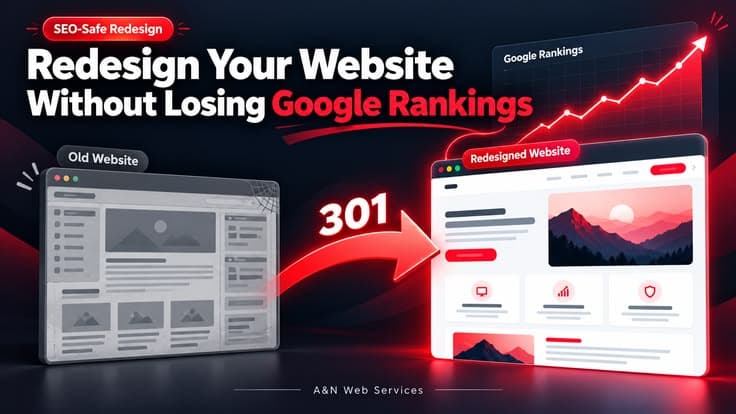
Planning a new look for your site? A website redesign without losing rankings is possible when you treat it as a move, not a makeover. Keep every URL that already ranks, or send it to its new address with a 301 redirect. Keep the content, titles and internal links that Google already trusts. Then check everything on launch day and watch Search Console for the next few weeks.
Quick answer: Rankings drop after a redesign when URLs change without redirects, ranking content gets deleted, or the new site blocks Google. List every old URL, map each one to its new page with a 301 redirect, keep what already ranks, and monitor Search Console after launch.
Why do rankings drop after a website redesign?
Google does not rank your design. It ranks pages: a URL, its content, and the links pointing to it. A redesign often changes all three at once, and nobody notices until the traffic falls.
The usual causes are:
- URLs changed with no redirects.
/services.htmlbecomes/services/, and the old address now shows a 404 error. - Content that ranked was cut. A long, useful page gets replaced with three lines and a big photo.
- Titles, headings and meta descriptions were reset. The new template ships with defaults like "Home".
- Google was blocked. A
noindextag or a robots.txt rule from the staging site went live by mistake. - The new site is slower. Heavy images, sliders and scripts hurt Core Web Vitals.
- Internal links were lost. Pages that were linked from the menu or footer are now orphaned.
None of these are design problems. They are planning problems, and each one can be avoided.
The steps for a website redesign without losing rankings
Work through these steps in order. Steps 1 to 4 happen before any design work starts.
1. List every URL on the current site
Crawl the old site and export every URL. Add the pages in your sitemap and the pages that show in Google Search Console. This list is your safety net. If a page is not on the list, nobody will remember to redirect it.
2. Note what already works
In Search Console, open the Performance report. Export your top pages and top queries for the last 6 to 12 months. Mark the pages that bring the most clicks, enquiries and backlinks. These pages need the most care. Their content should move to the new site almost unchanged.
3. Back up the old site
Save a full copy of the files, the database and the current titles and meta descriptions. If something goes wrong after launch, you can compare old and new, or roll back.
4. Build a 301 redirect map
A 301 redirect tells Google that a page has moved permanently. It sends visitors and ranking signals to the new address.
Make a simple sheet with two columns: old URL and new URL. Then follow these rules:
- Keep the same URL wherever you can. A URL that does not change needs no redirect.
- Map each old page to the closest matching new page, one to one.
- Never send every old page to the home page. Google may treat those redirects as missing pages.
- Avoid redirect chains. Each old URL should reach its final URL in one hop.
- Redirect all versions of the address: http and https, with and without the www prefix.
Google's own guide on site moves with URL changes explains the same process in detail.
5. Keep the on-page SEO that already ranks
Copy these across for every important page:
- Page title and meta description
- The H1 and main headings
- The body content, especially on your top pages
- Internal links between related pages
- Image alt text and file names
- Schema markup such as FAQ, LocalBusiness or Product
You can improve the wording later, one page at a time. Do not rewrite everything on the same day you change the design.
6. Check everything on launch day
- Remove any
noindextag and staging rules from robots.txt - Test every redirect from your map, not just a few
- Submit the new XML sitemap in Search Console
- Check that each page has a correct canonical tag
- Test speed and Core Web Vitals on mobile
- Confirm analytics and contact forms still work
7. Watch Search Console for 4 to 6 weeks
Small ups and downs are normal while Google recrawls the site. Check the Pages report for new 404 errors and fix them with redirects. Watch the clicks for your top pages. Keep the redirects in place for at least a year, and longer if you can.
Risky redesign vs safe redesign
| Risky redesign | Safe redesign | |
|---|---|---|
| URLs | Changed without a plan | Kept, or mapped one to one |
| Old pages | Deleted or sent to the home page | 301 redirected to the closest page |
| Content | Cut down to fit the new layout | Top pages moved almost unchanged |
| Titles and meta | Reset to template defaults | Copied from the old site |
| Launch | Go live and hope | Checklist, redirect tests, new sitemap |
| After launch | Nobody checks | Search Console watched for weeks |
What should you not do during a redesign?
- Do not change the domain, the URLs, the content and the design all at once, unless you must.
- Do not launch just before your busy season.
- Do not delete old pages only because they look dated. Check their traffic first.
- Do not let the staging site get indexed, and do not let its
noindextag reach the live site. - Do not remove redirects after a few weeks.
How long does it take for rankings to settle?
For a small business site, Google often recrawls the main pages within days and the rest over a few weeks. A short dip can happen even when everything is done right. If rankings are still down after six weeks, check for missing redirects, removed content or blocked pages.
When is a redesign good for SEO?
A careful redesign often helps. A faster site, a clean mobile layout and a clear page structure all support rankings. If you are still deciding on the budget, read our guide on what affects website cost in India. If speed is the main problem, website speed optimization may be enough without a full redesign.
Need help with a redesign?
At A&N Web Services in Kaithal, Haryana, every website redesign project starts with a URL list and a redirect map, before any design work. That is how we plan a website redesign without losing rankings. The same plan covers on-page SEO, so the new site keeps what the old one earned. We work with businesses across Haryana, including Karnal, and the rest of India.
Book a free consultation and we will review your current site and tell you what must be protected before the redesign.
FAQ
Frequently Asked Questions
1Will redesigning my website affect my Google rankings?
It can, if URLs change without redirects, ranking content is removed or the new site blocks Google. With a full URL list, one-to-one 301 redirects and the same on-page SEO, rankings normally carry over to the new site.
2What is a 301 redirect and why does it matter in a redesign?
A 301 redirect is a permanent redirect from an old URL to a new one. It sends both visitors and ranking signals to the new page, so the new URL can take over the position the old one had.
3Can I redirect all my old pages to the home page?
No. Each old page should point to the closest matching new page. Google may treat mass redirects to the home page as missing pages, and those rankings are then lost.
4How long should I keep 301 redirects after a redesign?
Keep them for at least one year, and longer if you can. Other websites and old bookmarks may keep sending visitors to the old URLs for years.
5How long does it take for rankings to recover after a redesign?
Small ups and downs for a few weeks are normal while Google recrawls the site. If rankings are still down after about six weeks, check for missing redirects, removed content, noindex tags or slow pages.
6Should I change my URLs during a redesign?
Only when there is a good reason, such as messy or duplicate URLs. A URL that stays the same needs no redirect and carries no risk. If a URL must change, add a 301 redirect to the new address.
Website Development
Need a website that brings enquiries?
Custom-coded, fast and SEO-ready websites for businesses in Kaithal, Haryana and across India.
More like this