WhatsApp Chatbot vs Website Chatbot: Which One Does Your Business Need?
Customers message on WhatsApp and browse on your website. See how a WhatsApp chatbot and a website chatbot differ, where each one wins, and how to choose the right one first.

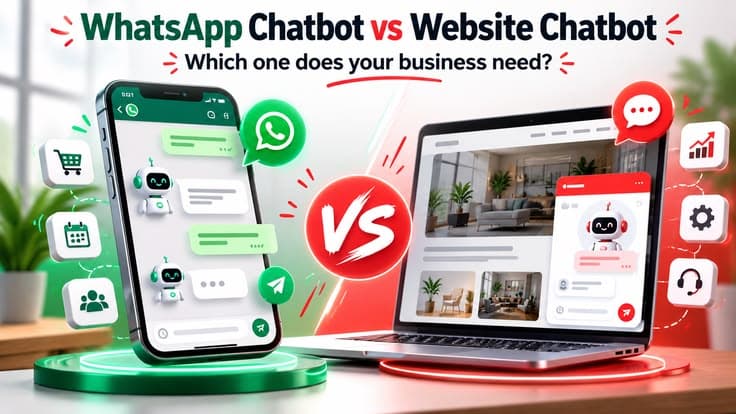
Customers message on WhatsApp and browse on your website, so the WhatsApp chatbot vs website chatbot question comes up for almost every business. A chatbot on either channel can answer in seconds, but the two work differently. Here is how they compare, and how to pick the one your business should start with.
Quick answer: A website chatbot talks to people who are visiting your site and have not contacted you yet. A WhatsApp chatbot talks to people who already have your number and prefer to message. If most of your enquiries come from Google and your website, start with a website chatbot. If most come on WhatsApp, start there. Many businesses end up using one AI assistant on both.
What is a website chatbot?
A website chatbot is the small chat window in the corner of a website. A visitor types a question and the chatbot answers from your own business information: services, timings, location, policies and FAQs.
The visitor does not need to share a phone number or install anything. That makes it useful for people who are still comparing options and are not ready to call. A good website chatbot answers the question, then asks for a name and number so your team can follow up.
What is a WhatsApp chatbot?
A WhatsApp chatbot replies inside WhatsApp, on your business number. The customer sends a message the way they would to a friend, and the chatbot answers.
There are two very different things people call a "WhatsApp chatbot":
- WhatsApp Business app: the free app with greeting messages, away messages and quick replies. Helpful, but it is not an AI chatbot. It cannot understand a question and answer it.
- WhatsApp Business Platform (API): the official route for automation. An AI chatbot connects to it and can hold real conversations, capture leads and hand over to your staff.
An AI WhatsApp chatbot needs the second one.
WhatsApp chatbot vs website chatbot: side by side
| Website chatbot | WhatsApp chatbot | |
|---|---|---|
| Who it talks to | Visitors on your website | People who message your number |
| Customer needs to | Just type | Have WhatsApp and message you |
| Contact details | Chatbot has to ask for them | Phone number is known from the first message |
| Follow-up later | Only if the visitor shares a number or email | Possible, within WhatsApp's rules |
| Setup | Add a widget to the site | WhatsApp Business Platform, verified business, dedicated number |
| Running costs | AI usage and hosting | AI usage plus WhatsApp's charges for some business messages |
| Rules to follow | Your own privacy policy | WhatsApp policies, opt-in and approved templates |
| Best for | First-time visitors, comparing options | Repeat questions, bookings, order and status updates |
Where a website chatbot wins
- It catches visitors before they leave. Many people read a page and close it without calling. A chatbot gives them an easy way to ask one question.
- No barrier. No number to save, no app to open. The visitor types and gets an answer.
- It knows the page. On a service page it can answer questions about that service and point to the right next step.
- Simple setup. A chat widget can be added to almost any website, including WordPress and custom-coded sites.
- Fewer outside rules. You control the experience on your own site.
Its weak point: when the visitor closes the tab, the conversation ends. If the chatbot did not collect a name and number, you cannot reach that person again.
Where a WhatsApp chatbot wins
- Customers are already there. In India, WhatsApp is where most people message a business. They do not need to learn anything new.
- You have the number from the first message. Every conversation is a contact your team can continue.
- The chat stays. The customer can come back to the same thread days later, and your staff can pick it up with the full history.
- Good for updates. Appointment confirmations, order status and reminders fit naturally in WhatsApp, with the customer's consent.
Its weak points: setup takes longer, WhatsApp charges for certain business messages, and you must follow its rules. Only people who already have your number will use it, so it does not help a first-time visitor who has just found you on Google.
WhatsApp rules you should know before you start
These are not reasons to avoid WhatsApp. They are things to plan for:
- Opt-in. You can only send business-initiated messages to people who agreed to receive them.
- 24-hour window. When a customer messages you, the chatbot can reply freely for 24 hours after their last message.
- Templates. Outside that window, messages must use a template approved by WhatsApp.
- Dedicated number. The number connected to the platform is used for the chatbot and your team's shared inbox, not for a personal WhatsApp account.
You can read the official details in the WhatsApp Business messaging policy.
Which one should you start with?
Ask one question: where do your enquiries come from today?
- Mostly from Google and your website: start with a website chatbot. It turns visitors you are already getting into leads.
- Mostly WhatsApp messages, and the same questions every day: start with a WhatsApp chatbot. It takes the repeat work off your team.
- Both, in good volume: use one AI assistant on both channels.
A few examples:
- A clinic whose patients message for timings and appointments usually benefits from WhatsApp first.
- A coaching institute running a website with course pages often gets more from a website chatbot that answers course and batch questions and collects the parent's number.
- An online store tends to need both: the website chatbot for product questions before buying, WhatsApp for order updates after.
If your website gets very few visitors, a chatbot on it will have nobody to talk to. Fix visibility first; our Google Maps ranking checklist is a good place to start.
Do you need both?
Often, yes, but not as two separate projects. The useful setup is one AI assistant, trained once on your business, connected to two channels. The customer gets the same correct answer on the website and on WhatsApp, and every lead lands in the same place. So the WhatsApp chatbot vs website chatbot choice is really about which one comes first.
A common pattern: the website chatbot answers the first question and offers "Continue on WhatsApp". The visitor moves to WhatsApp, and the conversation carries on there with a real contact attached.
What either chatbot should NOT do
- Invent prices, offers or promises. It should answer only from information you approved.
- Pretend to be a human. Customers should know they are talking to an assistant.
- Trap the customer. A clear "talk to a person" option must always be there.
- Send messages people did not ask for. On WhatsApp this breaks the rules; everywhere it loses trust.
- Collect more data than needed. Name, number and requirement are enough for most enquiries.
How to get started
- Write down the 15–20 questions customers ask most.
- Check where those questions arrive: website, WhatsApp, calls.
- Pick the first channel using the rule above.
- Decide what happens to a lead: who gets the alert, and how fast they reply.
- Launch, read the real conversations for two weeks, and improve the answers.
At A&N Web Services we build AI chatbots for websites and WhatsApp, trained on your own business information, replying in Hindi, English and Hinglish, with hand-off to your team. If you also want leads and follow-ups to move automatically into your sheet or CRM, that is part of AI workflow automation. For phone calls rather than chat, see how an AI calling agent works for clinics.
Not sure which channel fits your business? Book a free consultation and we will look at where your enquiries come from and suggest the right starting point.
FAQ
Frequently Asked Questions
1Which is better, a WhatsApp chatbot or a website chatbot?
Neither is better for everyone. A website chatbot is best for visitors who are still comparing and have not contacted you yet. A WhatsApp chatbot is best for people who already message you and for follow-ups. Most businesses start with the channel where most enquiries already come from.
2Do I need the WhatsApp Business API for a WhatsApp chatbot?
For an AI chatbot that replies automatically at scale, yes. The free WhatsApp Business app only offers basic greeting, away and quick-reply messages. A real chatbot runs on the WhatsApp Business Platform (API), which needs a verified business and a dedicated phone number.
3Can one chatbot work on both WhatsApp and my website?
Yes. The same AI assistant, trained on the same business information, can be connected to a website widget and to WhatsApp, so customers get the same answers on both channels.
4Can the chatbot reply in Hindi?
Yes. It can reply in Hindi, English and Hinglish, matching the language the customer uses, on both WhatsApp and the website.
5Can a WhatsApp chatbot message customers first?
Only with their consent. Business-initiated WhatsApp messages need the customer's opt-in and a message template approved by WhatsApp. When a customer messages you first, the chatbot can reply freely within the 24-hour customer service window.
6How much does a chatbot cost and how long does setup take?
Cost depends on the channels, the number of questions it must handle and the integrations. We share a written scope and quote after a free consultation. A typical chatbot takes about 1–2 weeks to build and test.
AI & Automation
Let AI answer, follow up and book for you
AI chatbots, voice assistants, calling agents and workflow automation that work 24/7.
More like this