
Google Business Profile Optimization Guide for Kaithal Businesses
A practical, step-by-step guide to setting up and optimising your Google Business Profile in Kaithal, so more nearby customers find, trust and call you from Google Maps.

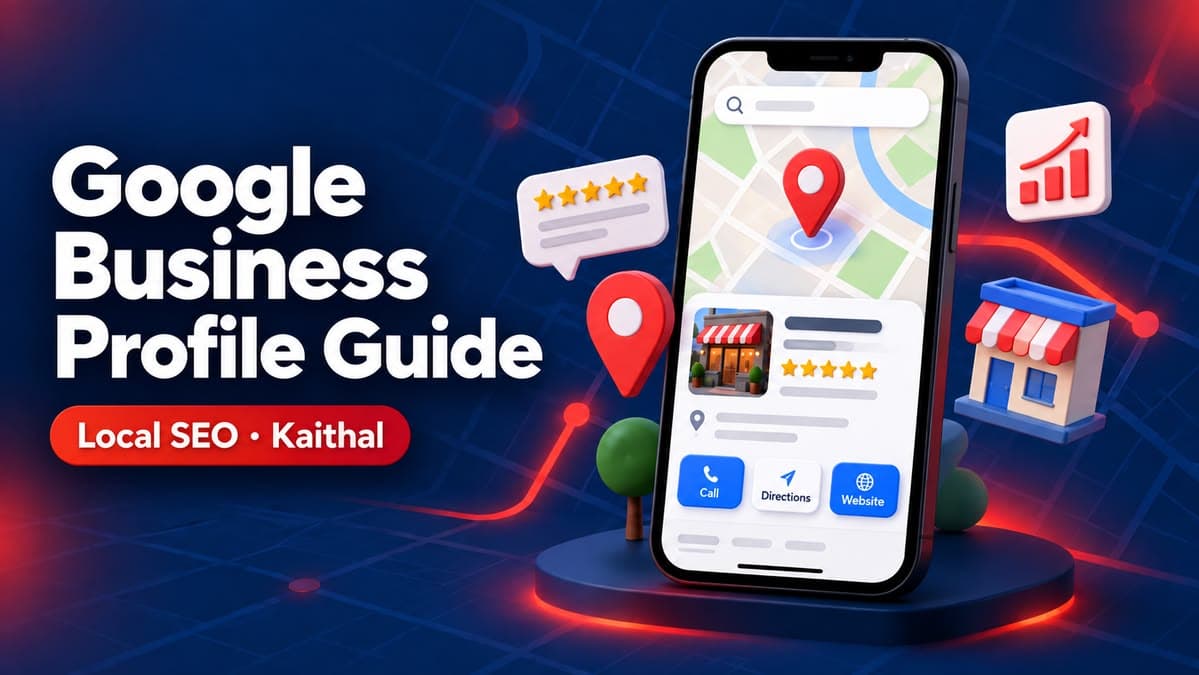
When someone in Kaithal searches "dentist near me" or "best sweet shop in Kaithal", Google usually shows a map with three businesses before any website. Those three spots come from Google Business Profile. If your profile is incomplete, your competitor gets the call, even if your service is better.
This guide explains Google Business Profile optimization step by step for a business in Kaithal (the same steps work anywhere in Haryana). No tricks, only what Google itself recommends and what we see working for local businesses.
Quick answer: Claim and verify your profile, choose the right primary category, keep your name, address and phone exactly the same everywhere, add real photos, post updates regularly and ask every happy customer for a review. Consistency beats shortcuts.
What is Google Business Profile?
Google Business Profile (earlier called Google My Business) is the free listing that appears in Google Search and Google Maps when people look for your business or for your type of business nearby. It shows your address, phone number, opening hours, photos, reviews and a button to call or get directions.
For a local business, this listing is often seen more often than the website itself. That is why Google Business Profile optimization is the first step of any local SEO plan.
Why does Google Business Profile matter for Kaithal businesses?
Most local buying decisions start on a phone. Someone searching for a clinic, coaching institute, hardware store or restaurant in Kaithal wants three things quickly: Is it open? Is it close? Is it trusted? Your profile answers all three in one screen.
- It puts you on Google Maps for "near me" searches
- It shows your reviews and rating, which build trust before the first call
- It gives customers a one-tap call, WhatsApp or directions button
- It sends signals that help your website rank for local searches too
Step 1: Claim and verify your profile
Search your business name on Google Maps. If a listing already exists, choose "Own this business?" and claim it. If not, add it at business.google.com.
Google then verifies that you really run the business, usually with a video recording of your shop or office, a phone call or a postcard. Keep your signboard, shop interior and some proof of the business (like billing or equipment) ready for the video.
Service-area businesses
If you visit customers (for example an electrician, a tutor who travels, or a website agency), you can hide your home address and list the areas you serve instead, such as Kaithal, Kurukshetra and Karnal.
Step 2: Fill every field correctly
Google can only show you for searches it understands. Fill these fields completely:
| Field | What to do | Common mistake |
|---|---|---|
| Business name | Your real name, as on your signboard | Adding keywords like "Best Dentist Kaithal" to the name (against Google guidelines) |
| Primary category | The single most accurate category | Choosing a broad category like "Shop" |
| Secondary categories | 2–5 related services | Adding categories you don't offer |
| Address | Exact address with PIN code 136027 | Different spellings on different websites |
| Phone | A number customers can actually reach | A number that is always switched off |
| Hours | Real hours, plus holiday hours | Forgetting to update during festivals |
| Description | 2–3 honest lines on what you do and where | Keyword stuffing |
Tip: Your Name, Address and Phone (NAP) must be written the same way on your profile, your website, Facebook, Justdial and every directory. Small differences confuse Google.
Step 3: Add real photos and keep adding them
Profiles with clear, real photos look more trustworthy. Upload:
- Your logo and a cover photo
- The outside of your shop or office (so people recognise it when they arrive)
- The inside, your team at work and your products
- New photos every month, not just once
Avoid stock images. Customers and Google both prefer real photos taken at your location.
Step 4: Get reviews the right way
Reviews are one of the strongest local ranking signals, and they decide who gets the call. The right way is simple: after every good job, ask the customer personally and send them your review link on WhatsApp.
- Reply to every review, good or bad, politely and within a few days
- Never buy reviews or ask friends to post fake ones; Google removes them and can suspend the profile
- Don't offer discounts in exchange for reviews, which is against Google's rules
Step 5: Post updates, offers and FAQs
Google Business Profile lets you publish short posts, just like social media. Share a new product, a festival timing, a tip or an event once a week. Also add the questions customers ask most (fees, parking, home delivery) in the Q&A section with clear answers.
Step 6: Connect your profile to a fast website
Your profile brings the click; your website closes the deal. Link it to a page that loads fast on mobile, shows your services clearly and has a call and WhatsApp button. A slow or outdated site wastes the traffic your profile earns. If you don't have one, a custom business website built for local search is the natural next step.
Google Business Profile optimization mistakes to avoid
- Two or more profiles for the same business location
- Using a virtual office or a friend's address
- Changing the business name to add keywords
- Ignoring negative reviews instead of replying
- Setting up the profile once and never updating it
How long does it take to rank on Google Maps?
A complete, verified profile can start appearing for your business name within days. Ranking for competitive searches like "dentist in Kaithal" usually takes a few months of steady work: reviews, photos, posts and consistent listings. Distance from the searcher also matters, and nobody can honestly guarantee the #1 spot.
Can I do this myself or should I hire someone?
You can do every step in this guide yourself, and many small businesses should start that way. If you don't have time, or you want your profile and website to work together as one local SEO system, you can book a free consultation with us. We are based in Kaithal and work with businesses across Haryana.
For Google's own rules, read the official guidelines for representing your business on Google.
FAQ
Frequently Asked Questions
1What is Google Business Profile?
Google Business Profile (earlier called Google My Business) is the free listing that appears in Google Search and Google Maps when people look for your business or for your type of business nearby. It shows your address, phone number, opening hours, photos, reviews and a button to call or get directions. For a local business, this listing is often seen more often than the website itself. That is why Google Business Profile optimization is the first step of any local SEO plan.
2Why does Google Business Profile matter for Kaithal businesses?
Most local buying decisions start on a phone. Someone searching for a clinic, coaching institute, hardware store or restaurant in Kaithal wants three things quickly: Is it open? Is it close? Is it trusted? Your profile answers all three in one screen. - It puts you on Google Maps for "near me" searches - It shows your reviews and rating, which build trust before the first call - It gives customers a one-tap call, WhatsApp or directions button
3How long does it take to rank on Google Maps?
A complete, verified profile can start appearing for your business name within days. Ranking for competitive searches like "dentist in Kaithal" usually takes a few months of steady work: reviews, photos, posts and consistent listings. Distance from the searcher also matters, and nobody can honestly guarantee the #1 spot.
4Can I do this myself or should I hire someone?
You can do every step in this guide yourself, and many small businesses should start that way. If you don't have time, or you want your profile and website to work together as one local SEO system, you can book a free consultation with us. We are based in Kaithal and work with businesses across Haryana. For Google's own rules, read the official guidelines for representing your business on Google.
5Is Google Business Profile free?
Yes. Creating, verifying and managing a Google Business Profile is completely free. You only spend time: filling every field, adding real photos, posting updates and replying to reviews.
6How can a Kaithal business get more Google reviews?
After every good job, ask the customer personally and send your review link on WhatsApp. Reply to every review politely. Never buy reviews or offer discounts for them, because Google removes fake reviews and can suspend the profile.
Local SEO Services
Want your business at the top of Google Maps?
Local SEO and Google Business Profile optimization for businesses in Kaithal and every Haryana district.